
iOS 26 Car Play: New Features and Improvements
With the release of iOS 26, Apple CarPlay has received several significant updates in car infotainment systems. For drivers who rely on CarPlay for navigation, calls, and media on a daily basis, these changes may affect how they interact with their car and improve the overall user experience.
This article provides a detailed overview of the new features and optimizations in CarPlay with iOS 26, helping you understand the updates and make the most of the latest functionality in your vehicle.
1. Fresh Interface Design and Visual Enhancements
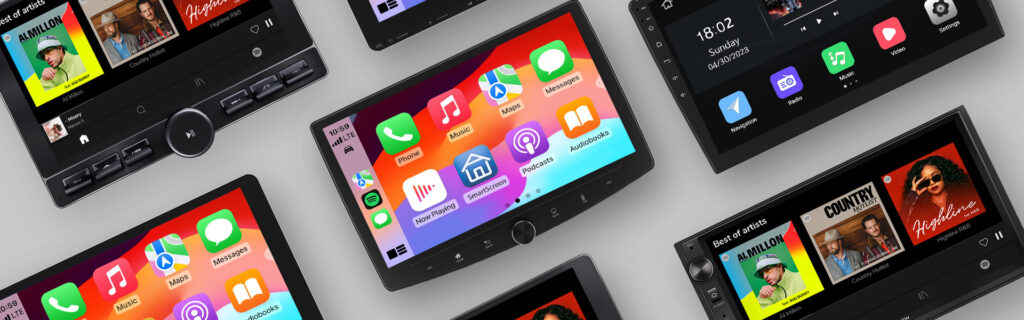
iOS 26 introduces the all-new “Liquid Glass” interface style for CarPlay. The screen layers are more distinct, and the interface now supports automatic light and dark mode switching. UI elements are easy to read under various lighting conditions, providing a more modern and visually appealing experience. Whether on the dashboard display or touch screen, the interface is cleaner, easier to identify, and more pleasant to use.
2. Incoming Calls and Messaging Upgrades
The incoming call interface has been redesigned from full-screen to a compact pop-up, reducing interference with navigation information and allowing quick call acceptance or rejection. Messaging apps now support Tapbacks for instant replies using emojis, and frequently used conversations can be pinned for quicker access, improving efficiency while driving.
3. Widgets and Live Activities
CarPlay now supports customizable Widgets pages that can display schedules, weather updates, smart home controls, and more, enabling quick access to important information while driving. iOS 26 also introduces Live Activities, allowing real-time updates—such as flight status, timers, or other key information—to appear on the dashboard or CarPlay screen, enhancing information visualization and situational awareness.
4. Maps and Navigation Improvements
Navigation has been noticeably enhanced. On vehicles supporting multi-touch, the CarPlay Maps app now allows pinch-to-zoom and drag gestures, making route viewing and map navigation more natural and intuitive. The Smart Display Zoom feature automatically adjusts the interface layout based on your car’s screen size, ensuring icons, controls, and information are displayed clearly and proportionally.
5. Call Management and Safety Enhancements
CarPlay now includes call filtering and related features, helping reduce distractions while driving. Call status can be displayed alongside navigation information, allowing drivers to manage calls and messages safely without compromising focus on the road.
6. What It Means for Car Owners
- Smoother Driving Experience
With optimized interface and integrated features, navigation, media, and multitasking become more seamless. Frequently used information is presented more intuitively, reducing repeated interactions and ensuring a smoother driving flow. - Safer Driving Environment
iOS 26 further refines interaction logic and voice controls, minimizing reliance on the screen and lowering the risk of distraction. These enhancements improve convenience while keeping driver safety a priority. - Compatibility Notes
Eonon head units support iOS 26 CarPlay. It’s important to note that the head unit mainly functions as a display and control interface for CarPlay, while the core features remain powered by the iPhone. To experience all the new iOS 26 features, please ensure your iPhone is updated to iOS 26.
7. Conclusion
The iOS 26 Car Play updates cover visual design, user interaction, information integration, and media experience. The interface is more attractive, information is more intuitive, and operation is safer, while additional entertainment and practical features have been added. Although some features may depend on vehicle or head unit hardware, the overall experience is more modern and provides drivers with a more comfortable and convenient in-car operation environment.